
What Should a Vacuum Cooler Record? A Buyer’s Guide to Batch Data, Alarms, and Remote Support
Vacuum-cooler quotations often describe chamber capacity, pump configuration and cooling time in detail, then reduce the control system to a few words such as “PLC with touch screen.” That description is not enough for a buyer who will later need to release batches, compare shifts, investigate a slow cycle or obtain service support from another country.
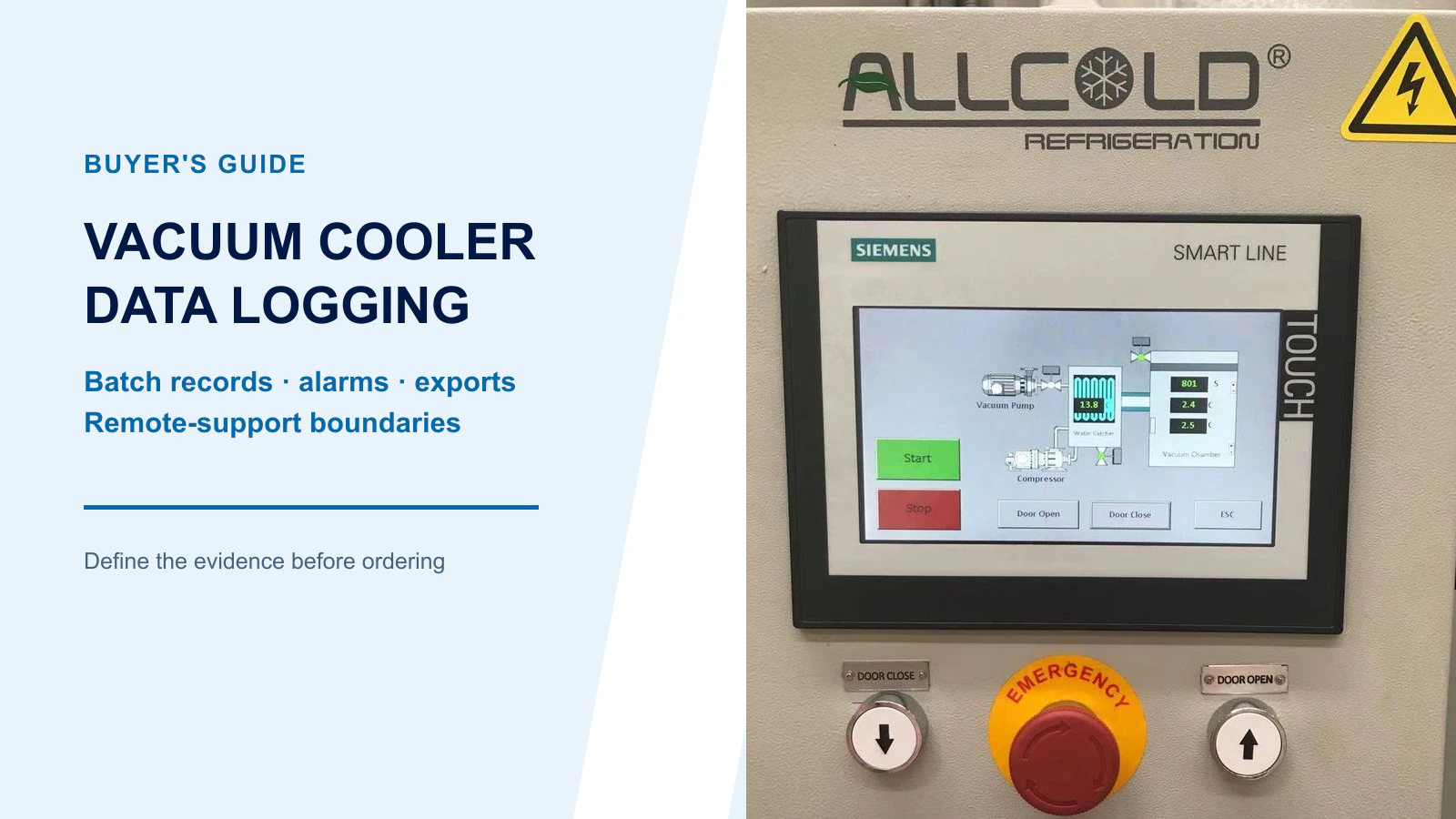
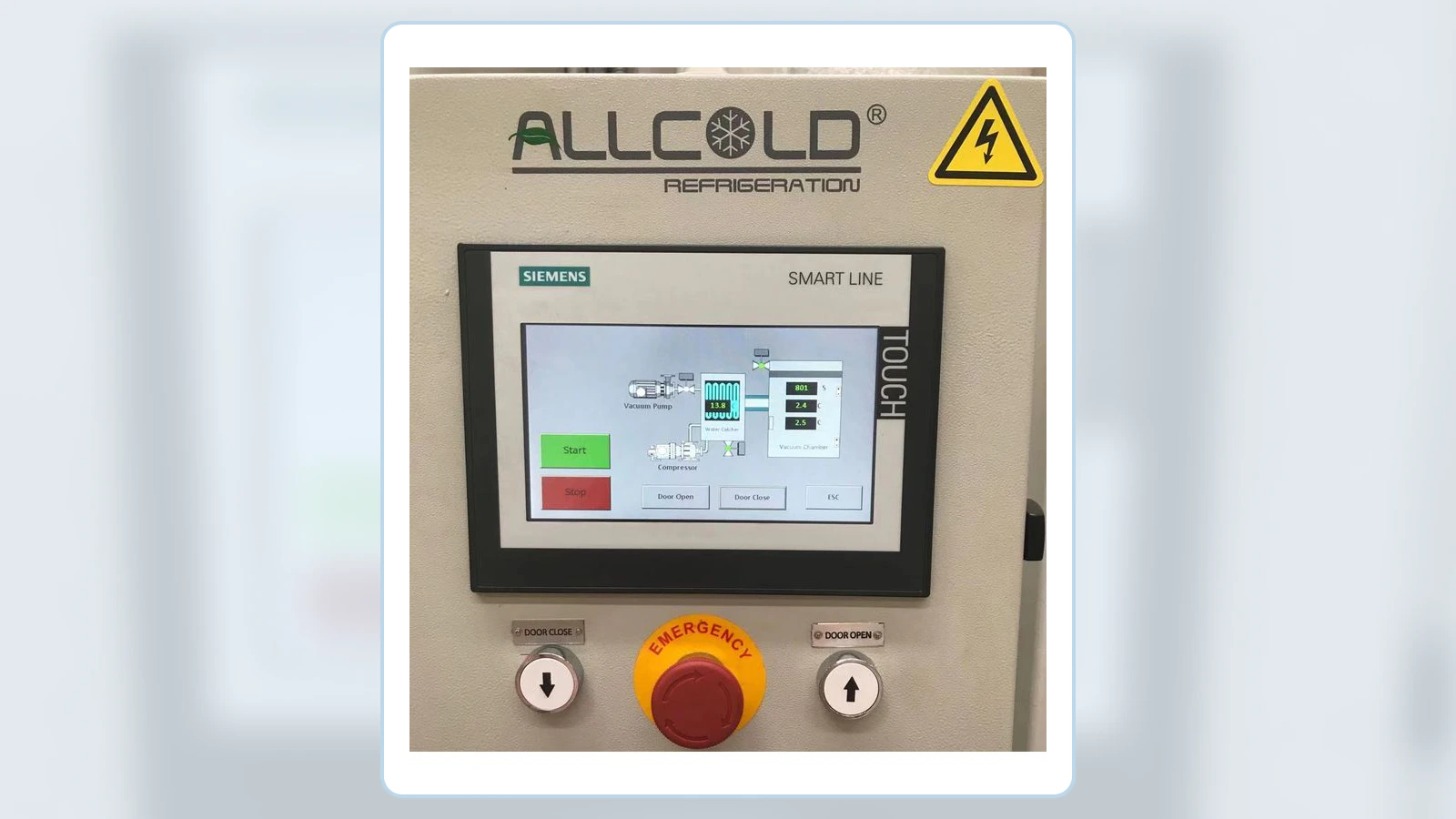
Allcold configuration note: Allcold vacuum coolers use PLC and HMI control for live operation, automatic sequences, parameter setting and fault information. Historical batch logging, data export, system integration and remote-support functions are not universal standard features; they are configured only when the individual project requires them. Buyers should identify those requirements during the RFQ so the necessary hardware, programming and service scope can be priced correctly.
The important question is not whether the machine can display a curve. It is whether the delivered system creates a trustworthy record that people can identify, retrieve, interpret and share without guessing. The required scope depends on the product, customer assurance program, site network policy and local rules, so it should be agreed during the RFQ—not discovered after commissioning.
Start With Three Levels of Control and Data Requirements
The most cost-effective specification separates functions needed to operate the machine from functions that improve diagnosis and functions required only by a particular customer system. This prevents a small standard machine from carrying unnecessary integration cost while still allowing larger or more controlled production sites to request the evidence they need.
| Requirement level | Typical functions | When it is appropriate |
|---|---|---|
| Baseline controls | PLC and HMI; live chamber pressure, product temperature, elapsed time and machine status; automatic/manual operation; safety interlocks; clear active alarms; password-protected parameters | Expected for normal safe operation and routine service on an Allcold vacuum cooler |
| Recommended diagnostic records | Pressure and temperature trends; recent alarm history; cycle start/finish time; recipe or parameter revision where relevant; basic export when practical | Useful for medium-to-large production, repeat-cycle comparison and investigation of slow or interrupted cycles |
| Project-specific options | Batch/lot IDs; operator records; automated CSV/PDF reports; long-term historian; OPC UA or MES connection; controlled remote access; detailed change audit | Specify only when required by the buyer’s production, quality, IT/OT or customer-assurance system |
Software backup also needs this distinction. Allcold should maintain the machine program and parameter baseline for service and recovery. Delivery of editable PLC/HMI source files to the customer is a separate commercial and intellectual-property question, not a requirement for every machine.
An HMI Screen Is Not a Batch Record
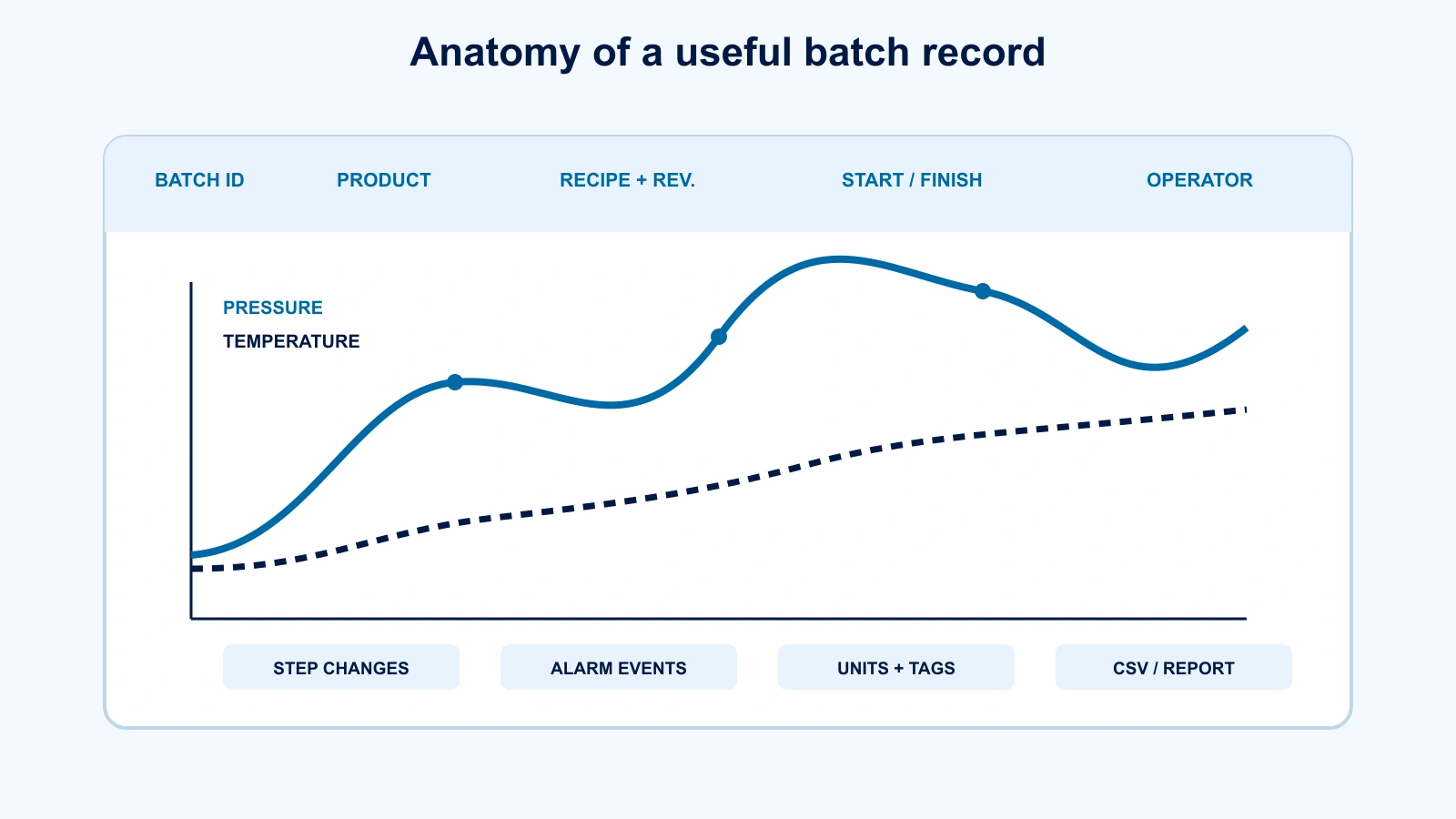
A live screen helps the operator run the current cycle. A batch record must remain useful after that cycle has ended. It needs an identity, a start and finish time, units, enough sensor context to interpret the values, and a way to preserve and export the information. If a graph disappears when the next batch begins, it is an operating display rather than a historical record.
This distinction matters when cooling performance changes. A technician reviewing only a screenshot may see that pressure fell and temperature moved, but not know which product, loading pattern, probe location, recipe revision or alarm occurred. Our separate guide on reading vacuum-cooling cycle data explains how trends support diagnosis. This article addresses the earlier purchasing decision: what information must exist before that analysis is possible.
Four Data Layers Buyers Should Specify Separately
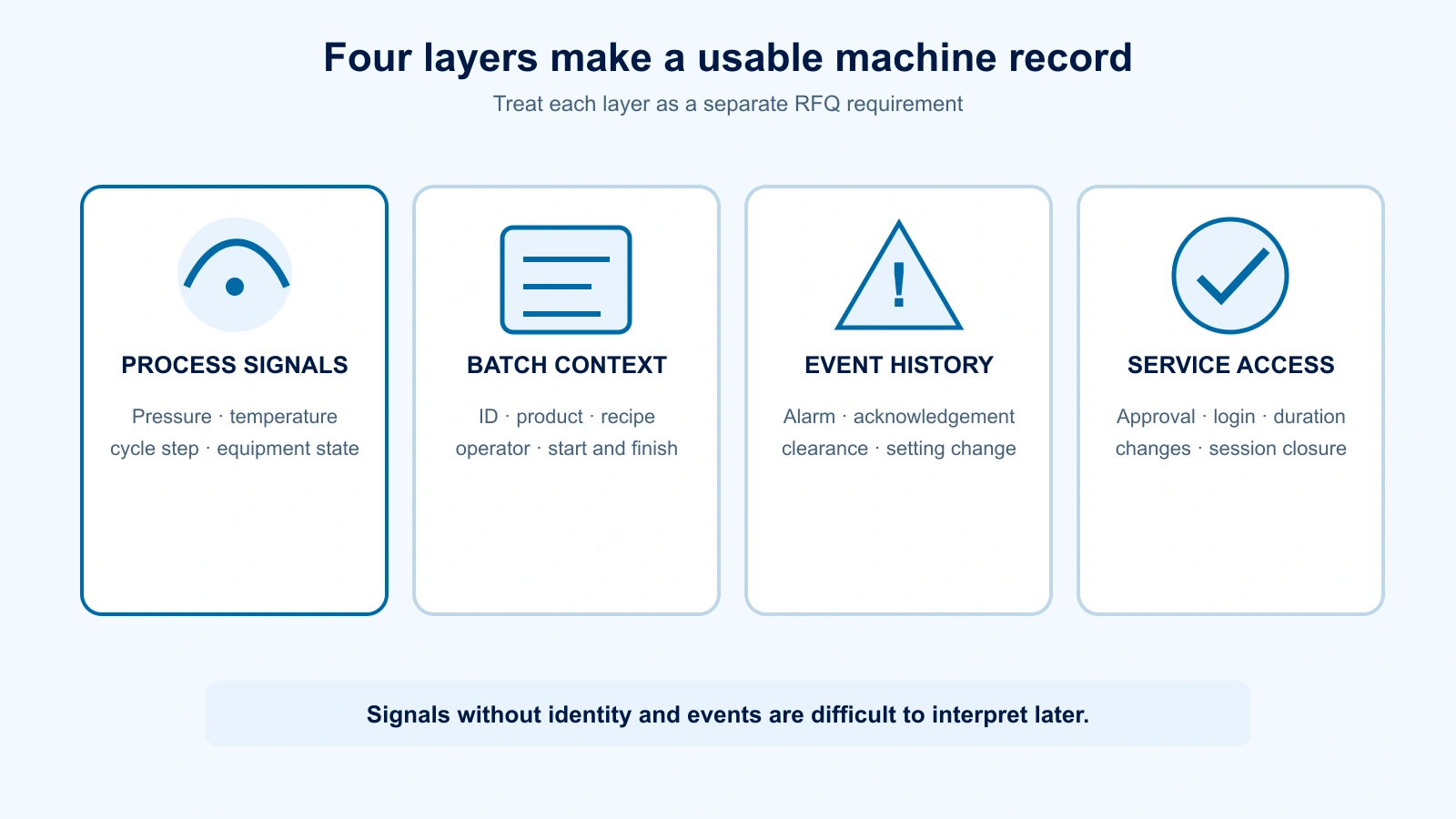
“Data logging” can mean several different things to a supplier. Separating the requirement into four layers makes the quotation easier to compare and the eventual acceptance check more objective.
1. Process signals
These are the time-based values and states that describe what the machine did: chamber pressure, product-temperature channels, cooling step, valve or vacuum-stage state, refrigeration state and relevant permissives. The list should follow the actual machine configuration. A steam-ejector package, for example, will not have the same useful states as a mechanical-vacuum-pump system.
2. Batch context
Trends need a label. Useful context can include batch or lot ID, product, recipe name and revision, operator or production line, load quantity, start time and end time. Some values may come from an upstream production system; others may be entered at the HMI. Agree who supplies each field and whether the machine may start when a required field is blank.
3. Events and audit evidence
Alarm activation, acknowledgement and clearance are different events. Recipe edits, setpoint changes, manual overrides, logins and time changes may also matter. The required audit depth is site-specific, but these records should not be confused with the smoother process trend.
4. Service and access evidence
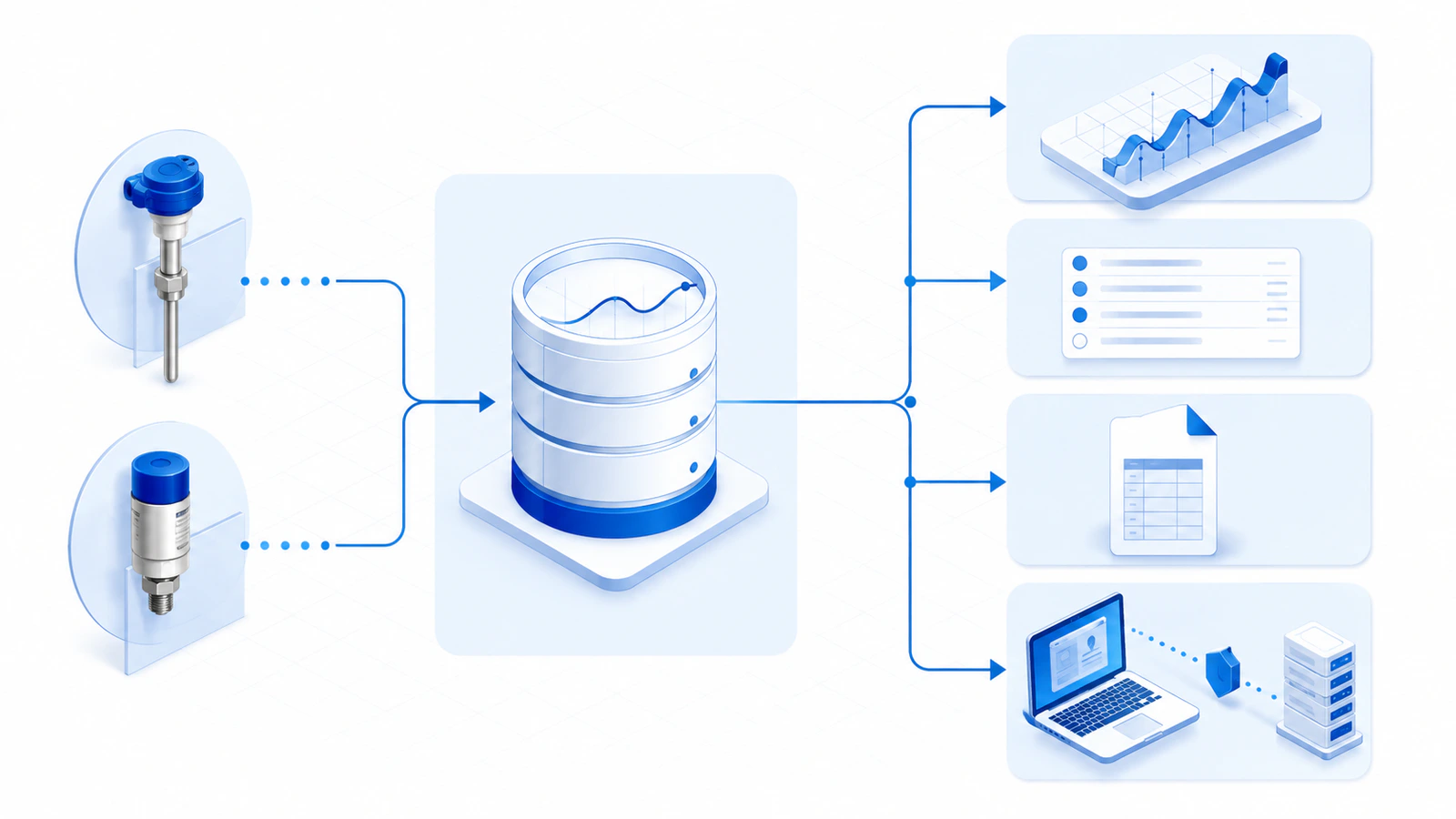
Remote support creates a second record question: who connected, when, under whose approval, and what changed? A support connection can shorten diagnosis, but permanent uncontrolled access is not a substitute for a defined service process.
A Practical Minimum Signal and Context List
The following table is a menu for an RFQ discussion, not a universal compliance specification and not a list of functions that every machine must include. Begin with the baseline control items, then add diagnostic records or project-specific fields only where they answer a real operating, quality or service need. For cooked products, for example, the temperature evidence and probe procedure may be more detailed than for a simple precooling comparison. See our cooked-rice validation guide for an example of why product geometry and temperature measurement method matter.
| Record item | Why it is useful | What the buyer should define |
|---|---|---|
| Batch identity | Connects the record to the physical load | Required fields, entry method, duplicate handling and link to site lot codes |
| Recipe and revision | Shows the intended sequence and settings | Naming rules, revision visibility and who may edit or select recipes |
| Start, step-change and finish times | Reconstructs the cycle sequence | Clock source, time zone, daylight-saving treatment and timestamp resolution |
| Chamber pressure | Shows evacuation, boiling region, control stability and venting | Sensor range, engineering unit, calibration approach and logging interval |
| Product-temperature channel(s) | Shows measured cooling response at defined locations | Probe type, count, placement procedure, channel name and treatment of a failed or unused probe |
| Cycle step and major equipment states | Explains why the trend changes | Which stages, pumps, refrigeration functions, valves or ejector states are recorded |
| Door, interlock and permissive states | Supports sequence and interruption diagnosis | Which safety or process states are historical and which remain live-only |
| Alarm and event history | Connects abnormal operation to time and response | Activation, acknowledgement, clearance, priority, user and retention |
| Utilities where relevant | Helps separate machine issues from site-supply issues | Which measured values are actually available and useful; do not promise uninstalled instruments |
| Operator and change history | Provides accountability for selections and edits | User levels, login method, recorded actions and review responsibility |
A longer signal list is not automatically better. Logging hundreds of undocumented tags can make retrieval and interpretation harder. Prioritize signals that answer a defined operating, quality or service question. Any requirement for additional meters or sensors should also appear in the hardware scope and price.
Sampling, Timestamps, Units and Sensor Context
A specification that says “record pressure and temperature” still leaves four practical gaps.
- Sampling: The interval must be short enough to capture meaningful process changes without producing unmanageable files. Choose it from the expected cycle dynamics and test it on representative runs; do not copy an arbitrary number from another machine.
- Time: The PLC, HMI, historian and exported file should use a defined clock source and consistent time convention. The buyer should know how a clock correction is recorded.
- Units: Pressure and temperature units must be visible in the interface and export. Avoid columns whose meaning depends on tribal knowledge.
- Sensor identity: A tag such as “Temperature 2” is weak evidence unless the probe type, normal placement and calibration identity are documented.
Product temperature deserves special care. A probe can measure only its own sensing point. Placement, contact, load variation and response time all influence the result. The control system should not turn one convenient reading into an unsupported claim that every item in the load reached the same temperature.
Alarm History That Helps People Diagnose
An alarm list should support action, not merely accumulate messages. For each important alarm, ask whether the delivered record shows when it became active, when it was acknowledged, when the condition cleared, its priority and the associated user where applicable. The message should identify the condition clearly enough for the manual and service team to use the same language.
Alarm flooding is a design problem. If one utility loss produces dozens of secondary messages, the first causal event may be difficult to find. During commissioning, review representative interruptions—such as an unavailable permissive or loss of a process utility—and confirm that the sequence of events remains understandable.
The U.S. National Institute of Standards and Technology describes log management as the generation, transmission, storage, access and disposal of log data, and notes its operational and troubleshooting value. That broad principle is useful even when a vacuum-cooler project is not governed by a particular U.S. requirement: a log must be managed through its full life, not merely generated on the HMI.
Export Format, Retention and Data Ownership
Before ordering, request a sample export or an agreed mock-up. CSV is convenient for tabular data, but only if the columns, units, decimal convention, timestamp format, missing-value behavior and character encoding are documented. A PDF batch summary is easy to read but may be less useful for analysis. Some projects need both: a human-readable report and a machine-readable file.
Also define how records leave the machine. Options may include an approved USB procedure, a controlled network folder, a site historian interface or manual download from the HMI. The correct choice depends on the site’s IT/OT architecture. If integration is required, name the protocol, tag list, direction of data flow and party responsible for configuration. OPC UA, for example, can provide structured information exchange and includes security capabilities, but writing “OPC” in a quotation does not define the data model or acceptance test.
Ownership should be explicit. The buyer should be able to retrieve its production records in the agreed format without relying on a supplier-only password or an expiring cloud service that was never disclosed. State the local storage capacity, retention behavior when storage is full, archive responsibility and any recurring license or connectivity cost.
Remote Support Without Permanent Open Access
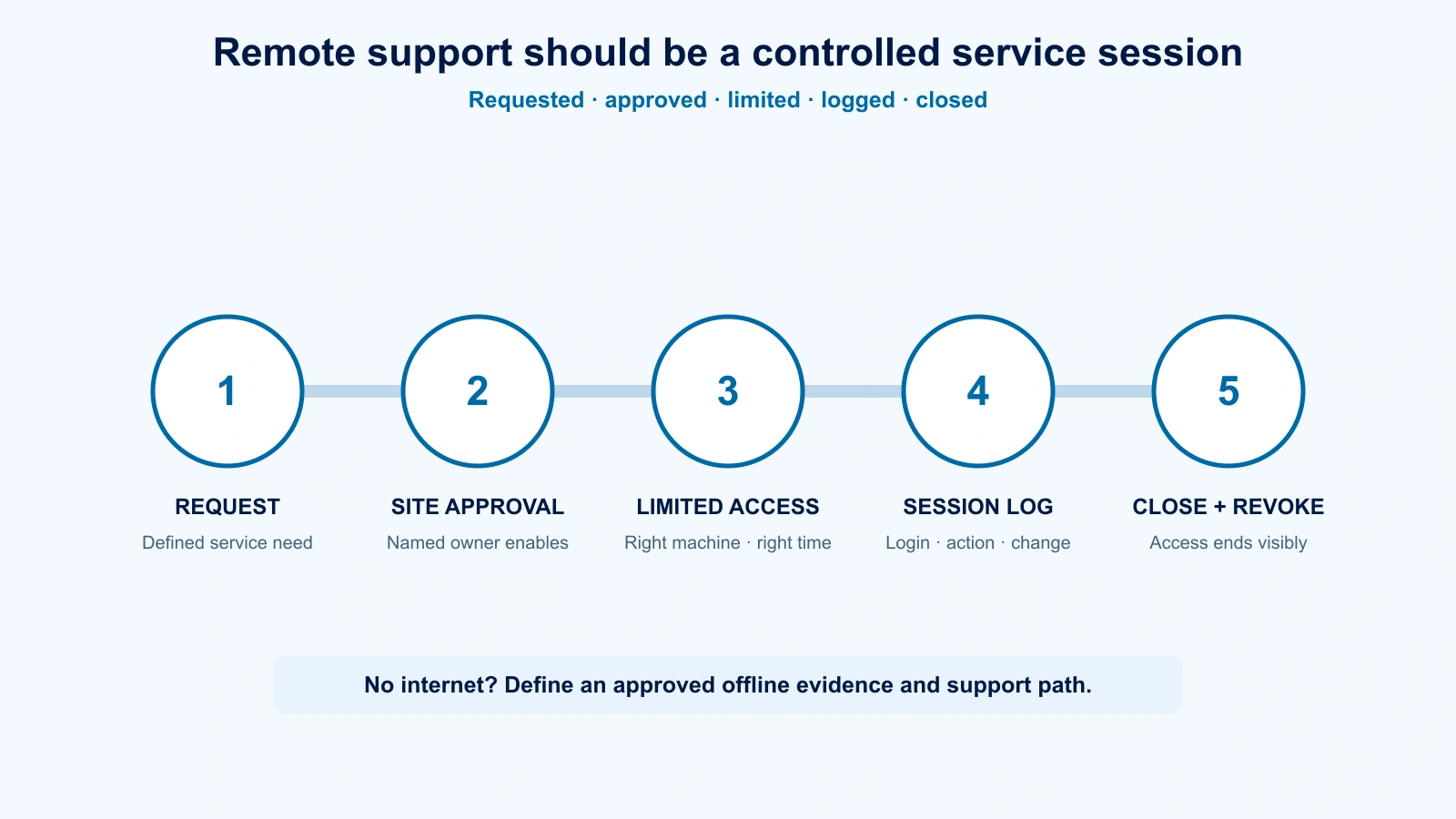
Remote support is optional, not a requirement for normal vacuum-cooler operation. It can be valuable when the machine supplier needs to review an alarm sequence or help site personnel compare settings, especially on complex or remote installations. When included, it should be an approved maintenance pathway—not an invisible always-on doorway.
NIST guidance for operational technology emphasizes reliability and safety while recommending controlled remote access, authentication, encryption and layered network architecture. Translate those principles into concrete commercial questions:
- Is remote access included, optional or prohibited by default?
- Who at the site enables each session, and can that person end it immediately?
- Does access use named accounts and multi-factor authentication where the selected solution supports it?
- Is the connection limited to the required machine or service zone?
- Are login time, session duration and configuration changes recorded?
- Can credentials be revoked when staff or service providers change?
- What happens if the remote service, license or internet connection is unavailable?
The exact design belongs to the buyer’s IT/OT owner and the equipment supplier together. A machine vendor should not bypass site policy to make support easier. Conversely, a site that prohibits all remote access should define the alternative: which files, screenshots, backups and diagnostic records its team can securely share.
Backups, Recovery and Change Control
A production record is only part of recoverability. As a baseline service practice, the machine supplier should retain a known-good PLC/HMI program and parameter version suitable for restoring the delivered system. The supplier and buyer should also identify which recipes, drive parameters, calibration settings and communication configurations need backups, who holds them, and how a known-good version is restored. Customer possession of editable source files is optional and must be agreed separately.
NIST’s OT backup guidance recommends integrating backup into change management, creating backups regularly, testing them and reviewing the process during recovery exercises. For a vacuum cooler, a practical handover may include a dated software baseline, hardware and software version list, protected copies in buyer-approved storage, and a restore procedure that identifies required engineering tools and licenses.
After an authorized software change, the record should show what changed, why, who approved it and which new backup became the reference version. This is especially important where operating teams depend on the machine for daily throughput. The same continuity thinking applies to equipment architecture; buyers weighing production resilience can also review our comparison of one large versus two smaller vacuum coolers.
RFQ Checklist: Turn “Data Logging” Into a Testable Scope
- Classify each requested function as baseline, recommended diagnostic or project-specific.
- List required batch identifiers, product fields and recipe information.
- Mark each required process signal, engineering unit and sensor source.
- Define sampling and timestamp rules after considering the real cycle dynamics.
- Define alarm activation, acknowledgement, clearance and change-history records.
- Request a sample screen, batch summary and machine-readable export.
- State retention, archive, storage-full and backup behavior.
- Identify interfaces to a historian, production system or shared storage, including responsibility boundaries.
- Define user roles, password ownership and recovery procedure.
- Define remote-access approval, authentication, logging, revocation and offline support.
- Include representative record retrieval, export and restore checks in commissioning.
Put these requirements beside the mechanical and utility scope. A detailed vacuum-cooler quotation should expose exclusions and interfaces early. Site power and control-system continuity also belong in the same project conversation; if generator operation is planned, review whole-system generator sizing and starting load rather than considering only the largest motor.
Frequently Asked Questions
Does every vacuum cooler need full batch logging?
No. A standard machine can operate effectively with PLC/HMI control, live process values, automatic sequences, safety interlocks and clear active alarms. Historical trends are useful for diagnosis; batch reports, system integration and remote access should be added only when the buyer has a defined need.
How many product-temperature probes should a vacuum cooler have?
There is no universal number. It depends on product variability, load geometry, validation method and whether probes are used for control, verification or both. Define the measurement objective and placement procedure first, then agree the hardware and recorded channels.
Is a screenshot of the cooling curve enough?
Usually not for a durable batch record. A screenshot may help a quick discussion, but it can omit batch identity, units, timestamps, alarm sequence, recipe revision and raw values needed for comparison.
Should a vacuum cooler connect directly to the internet?
That should never be assumed. Remote access must follow the buyer’s IT/OT policy and the agreed architecture. Where it is allowed, it should be controlled, authenticated, limited, logged and revocable. Where it is not allowed, define an offline support method.
Does equipment data provide full food traceability?
No. Machine records can contribute process evidence, but traceability also depends on product identification, material and lot handling, people, procedures and upstream/downstream systems. ISO 22005 provides general principles and basic requirements for food and feed traceability-system design; the applicable customer and jurisdictional requirements must be assessed separately.
When should the data specification be finalized?
Define the functional scope before order, confirm the tag and report detail during engineering, and test representative records during commissioning. Leaving the question until installation can expose missing instruments, incompatible interfaces or licensing costs.
References
- NIST SP 800-92, Guide to Computer Security Log Management.
- NIST SP 800-82 Rev. 3, Guide to Operational Technology Security.
- OPC Foundation, OPC Unified Architecture.
- NIST SP 1339, Cybersecurity Considerations for Operational Technology Backup Practices.
- ISO 22005:2007, Traceability in the feed and food chain.
Define the Record Before You Define the Screen
Send Allcold your product, throughput, batch-identification needs, temperature-measurement plan, site network policy and required export format. We can discuss the machine-side signals and control scope with your production, quality and IT/OT teams before the quotation is finalized.
Discuss your project requirements
View fresh-produce vacuum coolers

Mila
You May Also Like
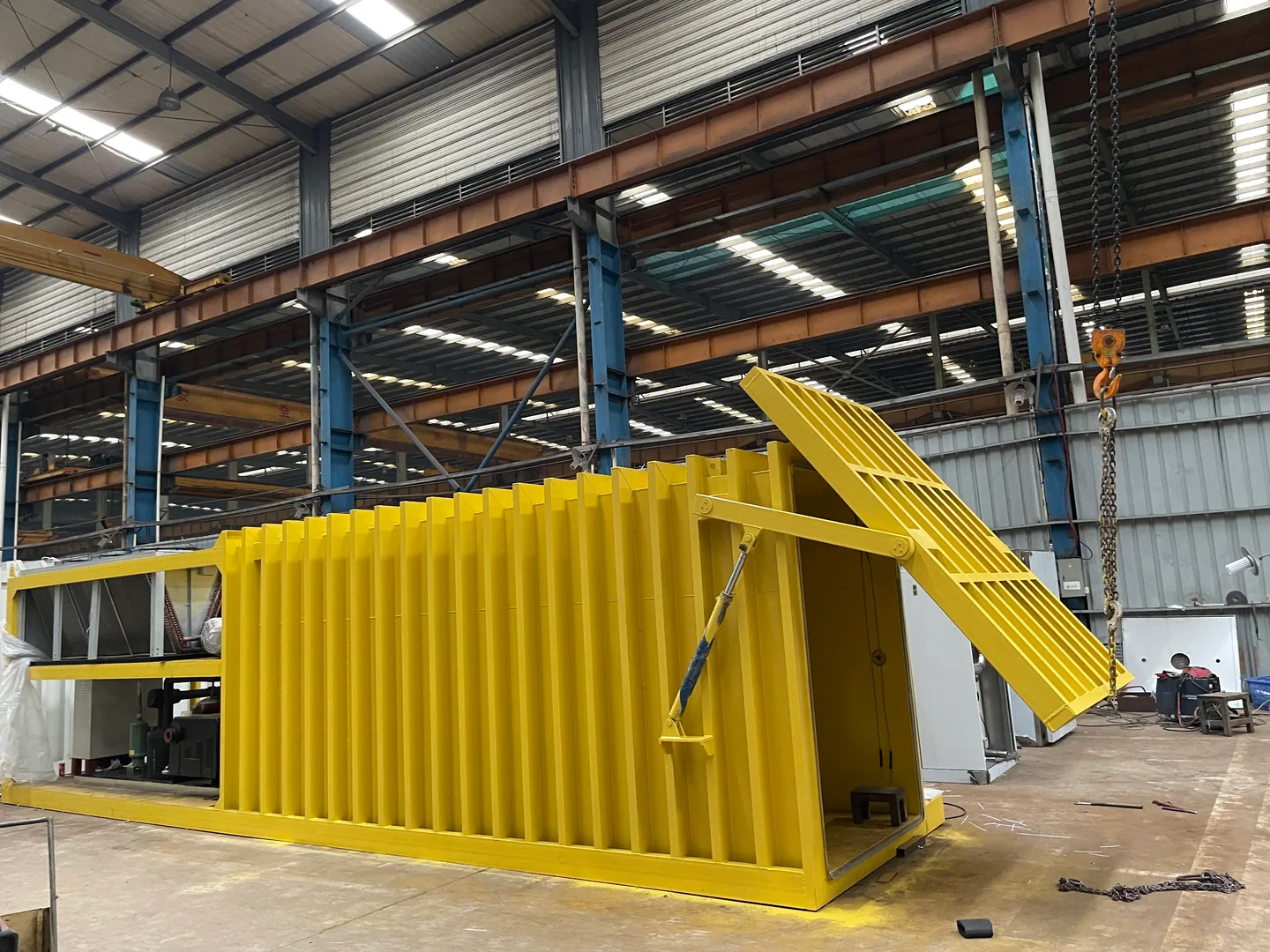
50 Hz or 60 Hz? How to Confirm a Vacuum Cooler Will Work at Your Site
Buying a vacuum cooler for 50 Hz or 60 Hz power? Check whole-machine compatibility, auxiliaries, conversion scope and quoted performance before ordering.
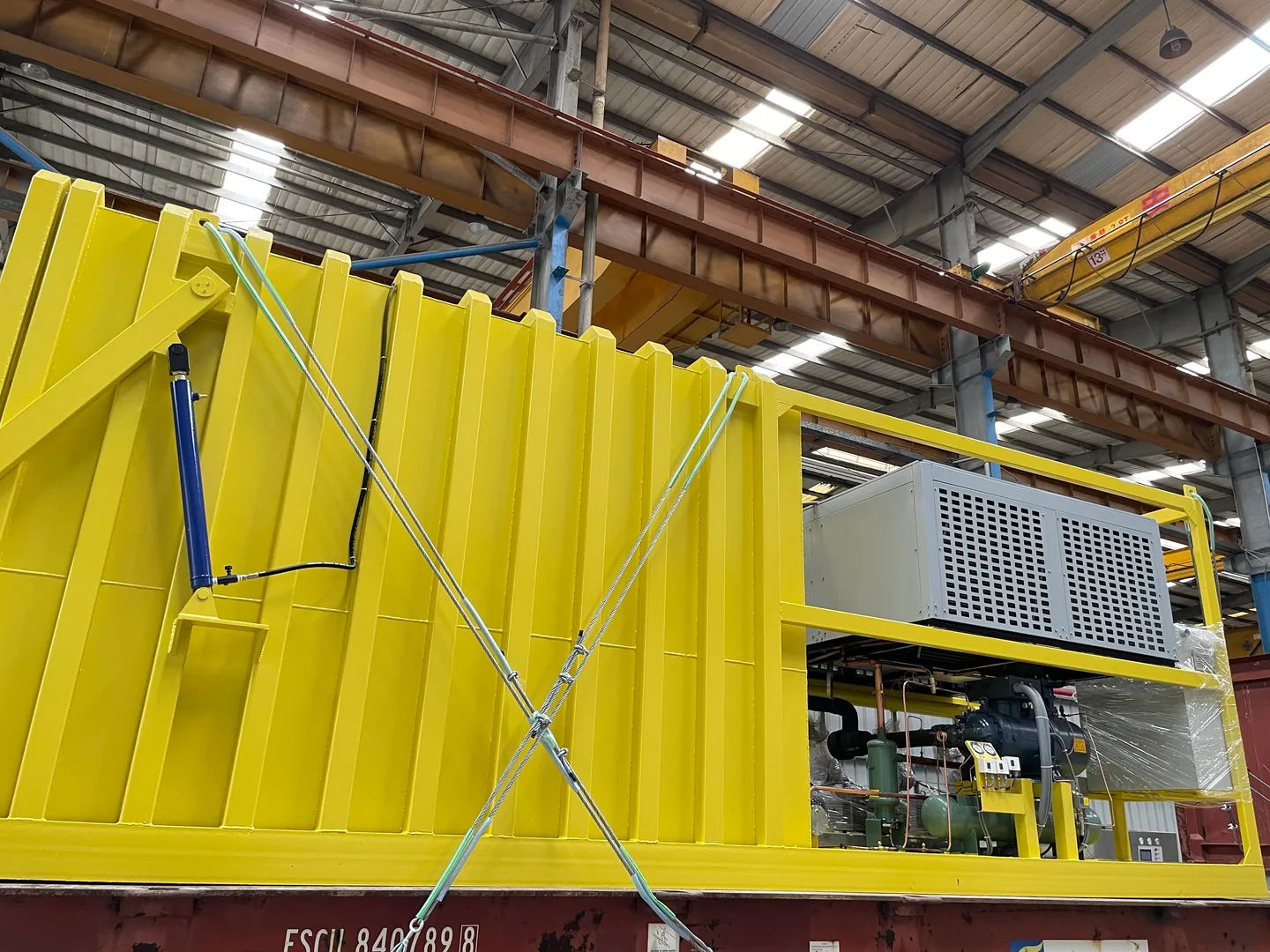
Can You Move a Vacuum Cooler Between Farms for Different Harvest Seasons?
ALLCOLD · MULTI-SITE COOLING & EQUIPMENT PLANNING Sharing one cooler across two growing regions can look efficient on an annual
How Loud Is a Vacuum Cooler? Plan for Noise Before You Buy
ALLCOLD · EQUIPMENT SELECTION & SITE PLANNING A cooler can fit the available space and still be in the wrong
Air-Cooled, Water-Cooled or Evaporative: Which Vacuum Cooler Fits Your Site?
VACUUM COOLER BUYER’S GUIDE · SITE UTILITIES Three heat-rejection arrangements can mean very different utilities, maintenance and installed costs. Compare
Vacuum Cooling vs. Vacuum Packaging: Which Machine Do You Need?
ALLCOLD · EQUIPMENT SELECTION Two machines can both use a vacuum chamber and still solve completely different production problems. Before
Should You Buy a Vacuum Cooler or Use a Third-Party Cooling Service?
FARM INVESTMENT · OWNERSHIP VS. OUTSOURCING The cooling fee is easy to see. The cost of getting your harvest cooled
Can a Vacuum Cooler Work at High Altitude? A Buyer’s Guide for Farms
Buying a vacuum cooler for a high-altitude farm? Learn how altitude affects pressure readings, equipment selection and the site details your supplier needs.
Where Should Two Product Temperature Probes Go in a Vacuum Cooler?
Learn how to place a vacuum cooler’s two standard product temperature probes, avoid false cold readings and define repeatable production locations.
Will Your Pallets Actually Fit? How to Specify the Usable Chamber Size of a Vacuum Cooler
A pallet count does not prove the real production load will fit. Learn how to define the loaded-pallet envelope, door throat, usable chamber space, handling path and drawing-approval evidence before ordering a vacuum cooler.
Can a Vacuum Cooler Run on a Generator? A Buyer's Guide to Sizing Beyond Running kW
A generator can have enough running power and still struggle when a vacuum cooler starts. Learn how to define the operating duty, starting events, supporting utilities and supplier responsibilities before selecting the generator set.